
EAS & High-Value Item Protection
Gates, tags and detachers you already know — with the incident data they have never given you.
The problem it solves
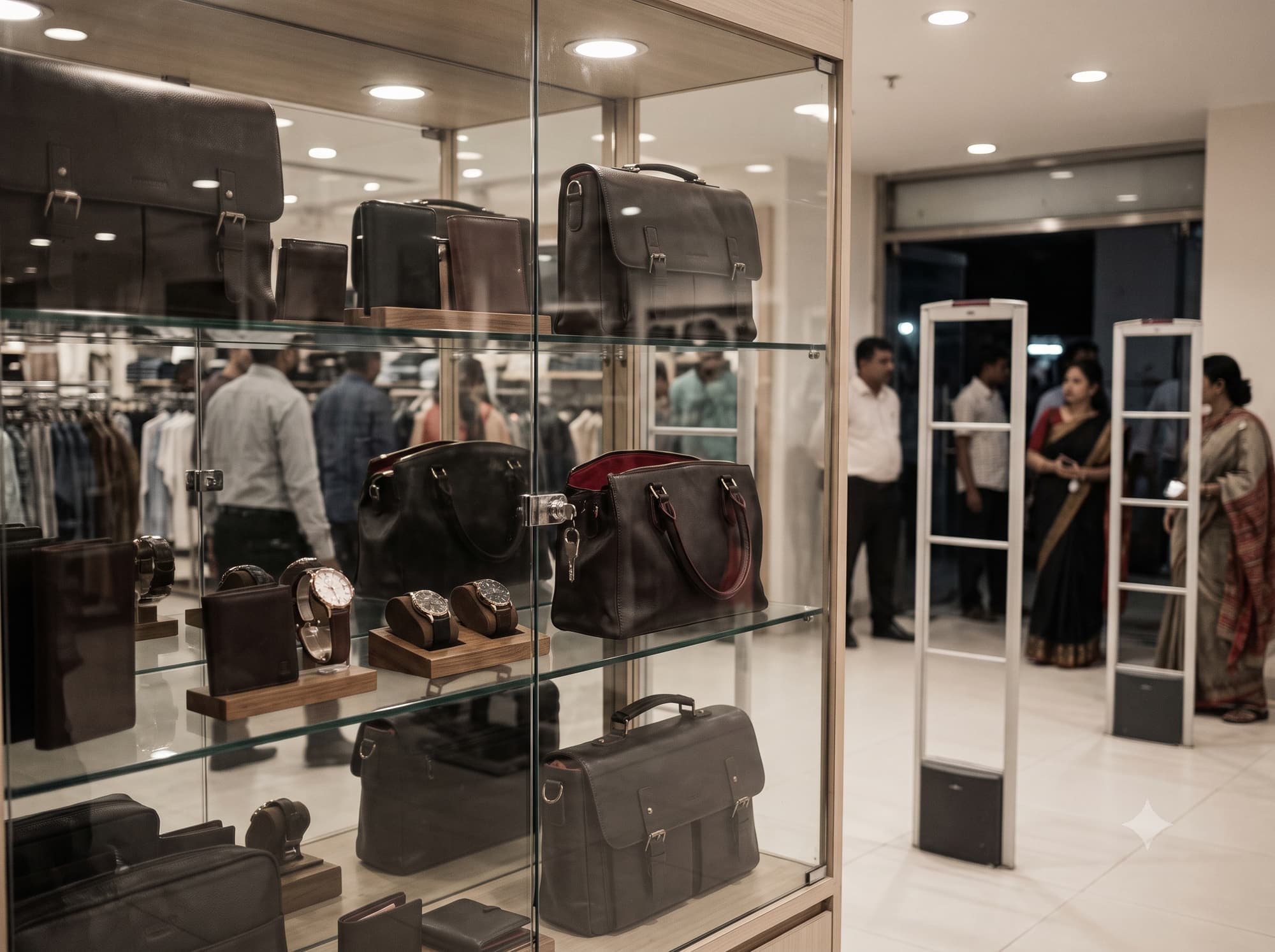
You almost certainly have EAS already. What you probably do not have is any record of what it caught, when, at which door, and whether the alarm was real.
An EAS system without logging is a doorbell. It rings, someone looks up, the moment passes, and nothing accumulates. Ask most retailers how many alarms their Gulshan store threw last month and the honest answer is a shrug — which means nobody can tell whether alarms are rising, whether one door is worse than another, or whether the 11pm spike is a pattern or a story.
This module is the software layer over hardware RATS BD has been installing for years. The gates, tags and detachers do not change. What changes is that every alarm becomes an event with a time, a door, a store and a resolution, and high-value lines get item-level serialisation so a display-case incident names the specific unit rather than the category.
The workflow
Four steps, in this order. A step out of sequence is a broken process, not a variation.
- 01
Protect
Merchandise is tagged to category — soft labels on fast-moving lines, hard tags matched to fabric weight, on-metal micro tags in jewellery and eyewear cases.
- 02
Deactivate
The till kills the label or removes the tag as part of bagging. POS integration records that deactivation actually happened, which is where most nuisance alarms originate.
- 03
Detect
Gates alarm on a live tag crossing the exit and log the event — door, time, store — whether or not anyone responded.
- 04
Analyse
Incidents aggregate by store, door and hour, so shrinkage pressure becomes a map instead of an anecdote.
What it is
made of
Four layers, in the order data moves: a tag is read, the read becomes an event, a rule decides what it means, and a business system acts on it.
- 01
Tags
What carries the identity
- AM 58 kHz and RF 8.2 MHz labels and hard tags
- On-metal micro tags for jewellery and eyewear
- Serialised UHF on high-value lines
- 02
Readers & edge
What turns presence into an event
- AM, RF and hybrid pedestals
- Deactivation pads and magnetic detachers at every till
- Cabinet readers for locked display cases
- 03
Platform
What decides what the event means
- Incident log and alarm analytics
- Deactivation verification against POS
- Door and hour heat mapping
- High-value item registry
- 04
Integrations
What acts on the decision
- POS
- Existing EAS estate
- CCTV timestamps
What we supply
- 01
EAS pedestals
AM, RF or hybrid, specified against your merchandise mix and door width. Already supplied and serviced across 55+ models — this module adds the event log they were always missing.
- AM 58 kHz for foil and mixed merchandise
- RF 8.2 MHz for apparel-dominant floors
- Hybrid for mixed installed bases
- Alarm and traffic event logging
- 02
Cabinet reader
For locked display cases in jewellery, watches and eyewear. Counts what is in the case continuously, so a variance is caught at shift change rather than at stock-take.
- Shelf or cabinet-mounted antenna
- Continuous presence counting
- Variance alert on removal
- On-metal tag compatible
- 03
Deactivation & detachers
Counter hardware matched to your tag locks and till layout. Verified against the POS, so a label that was never killed shows up as a process issue rather than a mystery alarm.
- Counter-pad and scanner-integrated deactivators
- Standard and superlock detachers
- One per till, never shared
- Deactivation status posted to platform
What to expect
Ranges, not single flattering figures. Baselines are captured for four to eight weeks before a pilot starts, so the delta is measured rather than claimed.
- Shrink reduction
- 20–40%with serialisation
- Nuisance alarms
- Traced to cause
- Incident record
- Every event logged
- High-value variance
- Caught at shift change
What to plan for
Every module has a failure mode. These are the ones that actually bite on this one, and what we do about them — because finding out later costs more than knowing now.
- Nuisance alarms destroy staff trust faster than anything else, and a system nobody responds to is worse than none.
- POS-integrated deactivation verification identifies whether the cause is a live label, a tuning issue or an interference source — instead of leaving the floor team to guess.
Your existing systems
- POS
- EAS estate
- CCTV
Where it earns its keep
- Retailers with EAS installed and no idea what it has caught
- Jewellery, watch and eyewear counters with locked high-value display
- Multi-branch groups wanting shrinkage pressure compared store to store
Before you
buy
The things operations directors actually ask on the first call.
We already have gates from another supplier. Does this work with them?
In most cases yes. We service AM and RF systems regardless of who installed them, including Sensormatic and Checkpoint estates, and the logging layer attaches to the alarm output rather than requiring a specific pedestal brand.
What causes false alarms, really?
Three things, nearly always: a label that was never deactivated, sensitivity set blind at install, or an interference source nobody surveyed for. All three are diagnosable once alarms are logged rather than merely heard.
Is serialisation needed for this module?
Not for the gates. It is needed if you want an incident to name the specific unit — which matters in jewellery and electronics, and rarely justifies itself on fast-moving apparel.
The rest of retail
- 01
Return Fraud Prevention
Serialised tags linked to the sale, so a return can be checked against the receipt that created it.
- 02
Smart Fitting Rooms
Overhead readers and a wall display that turn the try-on into a conversation instead of a dead end.
- 03
Real-Time Inventory & Automated Replenishment
Item-level reads that keep store and DC stock accurate, and reorder rules that fire on their own.
- 05
Fast Checkout & Product Locator
Read a whole basket at once instead of item by item, and find the one unit that is somewhere in the store.
- 06
Supplier Performance & Automated Receiving
Validate a delivery as it comes through the door, and score the supplier on what actually arrived.
- 07
Demand Forecasting & Product Performance Analytics
Movement and sales signals turned into reorder timing, out-of-stock warnings and honest style performance.
- 08
Textile Tracking & Jewellery Security
Apparel tracked from backroom to rail, and high-value pieces counted continuously in the case.
Let's design theright system foryour floor
- Call+880 1713 819528 · 01713 222558
- Email[email protected]
- VisitGround Floor, House-7, Road-13, Sector 14, Uttara, Dhaka-1230
Get your quote
Tell us your store type and city. A specialist surveys your floor, recommends the exact system and sends a clear quote — no obligation.
Request a quote Chat on WhatsApp