
Maintenance Schedule Automation
Preventive maintenance triggered by actual running hours instead of a date in a spreadsheet.
The problem it solves
Calendar-based maintenance services machines that did not need it and misses the one that ran double shifts all month. It is not preventive; it is arbitrary.
The reason almost everyone runs a calendar is that nobody has usage data. A machine that logged 900 hours and a machine that logged 90 look identical to a schedule built in January, so both get serviced in March — one wastefully, one too late. The one that fails is the one that becomes an unplanned line stop.
Tagging the asset and reading it at checkpoints turns usage into a number. Hours and cycles accrue against each machine, and the rule fires when the machine has earned the service rather than when the month rolled over. That alone is most of the available downtime reduction. Condition sensors — vibration, temperature — are a genuine phase two, added on the assets that justify them once the usage baseline exists.

The workflow
Four steps, in this order. A step out of sequence is a broken process, not a variation.
- 01
Tag the asset
On-metal UHF tags fixed to machines, jigs and moulds, each linked to an asset record with its own service rules.
- 02
Accrue usage
Checkpoint reads and production events accrue running hours and cycle counts against each asset automatically.
- 03
Trigger the work order
Rules fire on hours, cycles or — in phase two — a sensor threshold, and a work order is raised in your CMMS or ERP.
- 04
Close the loop
The technician scans the asset at completion, so compliance is recorded from the machine rather than from a signature.
What it is
made of
Four layers, in the order data moves: a tag is read, the read becomes an event, a rule decides what it means, and a business system acts on it.
- 01
Tags
What carries the identity
- On-metal UHF tags for machines and tooling
- Optional passive sensor tags for temperature and shock
- Rugged labels for consumable tooling
- 02
Readers & edge
What turns presence into an event
- Portals at work-area boundaries
- Rugged handhelds for technicians
- Optional BLE sensors where passive sensing is not enough
- 03
Platform
What decides what the event means
- Asset registry with service history
- Usage accrual from reads and production events
- PM rules engine and work-order generation
- Compliance and MTBF/MTTR reporting
- 04
Integrations
What acts on the decision
- CMMS
- ERP
- Maintenance scheduling
What we supply
- 01
On-metal asset tag
A standard inlay laid on a steel machine frame will not read — the metal detunes it. On-metal construction puts a spacer and ground plane behind the antenna so the metal becomes part of the design.
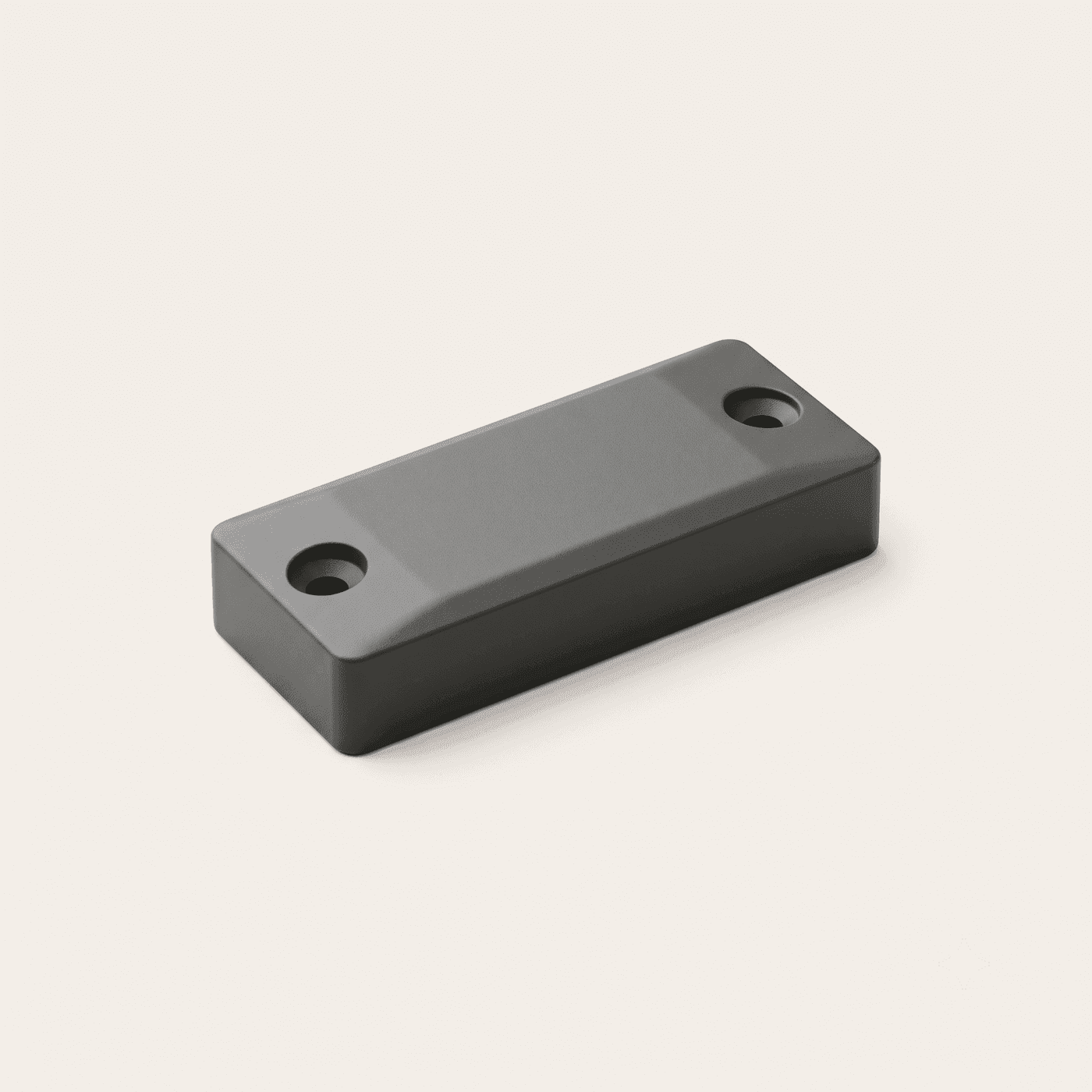
- Hard polymer, screw or adhesive mount
- Rated for oil, heat and vibration
- Reads reliably against steel
- Survives the life of the asset
- 02
Rugged handheld
What the technician actually carries. Drop-rated, glove-operable, and able to pull the asset's full service history at the machine rather than back at a desk.
- IP65, drop-rated
- Glove-operable keypad
- Full service history at the asset
- Works offline, syncs on return
What to expect
Ranges, not single flattering figures. Baselines are captured for four to eight weeks before a pilot starts, so the delta is measured rather than claimed.
- Unplanned downtime
- 15–30% lowerwith phased sensors
- PM compliance
- Measured from reads
- Preventive vs corrective
- Ratio tracked
- Spares planning
- Driven by usage
What to plan for
Every module has a failure mode. These are the ones that actually bite on this one, and what we do about them — because finding out later costs more than knowing now.
- Sensors add real cost, and early condition data is noisy enough to generate false alarms.
- Phase it. Hours and cycles first on critical assets — that captures most of the benefit with no sensor spend. Condition monitoring only where the failure mode justifies it and only after a usage baseline exists.
Your existing systems
- CMMS
- ERP
Where it earns its keep
- Plants where unplanned stops are the main throughput loss
- Operations running calendar PM with no usage data
- Sites with expensive tooling that fails without warning
Before you
buy
The things operations directors actually ask on the first call.
Do we need sensors to start?
No, and we would not recommend starting there. Hours and cycles from RFID reads deliver most of the downtime reduction on their own. Sensors are a second phase on the assets where the failure mode genuinely needs them.
Will tags survive our shop floor?
On-metal industrial tags are rated for oil, heat and vibration and are designed to last the life of the asset. Tag selection is part of the survey — a tag that works in a sewing room is not the tag for a dye house.
Does this replace our CMMS?
No. It feeds it. Your CMMS still owns work orders, spares and technician scheduling; this supplies the usage data that decides when a work order should exist.
The rest of manufacturing
- 02
Production Planning Optimisation
Live WIP status at every station, so the planner sees the bottleneck while it still matters.
- 03
WIP Tracking & Assembly Line Quality Control
Verify the right part reached the right station before the operation happens, not after.
- 04
Batch & Lot Tracking for Quality Control
Trace any finished unit back to its raw material lots, and any lot forward to every unit it touched.
- 05
ERP Integration & Automated Material Handling
RFID events drive ERP stock moves and vehicle routing, so the system reflects the floor without anyone typing.
Let's design theright system foryour floor
- Call+880 1713 819528 · 01713 222558
- Email[email protected]
- VisitGround Floor, House-7, Road-13, Sector 14, Uttara, Dhaka-1230
Get your quote
Tell us your store type and city. A specialist surveys your floor, recommends the exact system and sends a clear quote — no obligation.
Request a quote Chat on WhatsApp